Components / Display / Animal cardOpen in Figma
Animal card
ReadyShows one animal with its photo and the lines people use to tell it apart.
When to use
- Any time an animal appears on a screen: in a list, a form, a picker or a record.
- People need to be sure which animal it is before they act.
When not to use
| If people need to | Use |
|---|---|
| Show a person or a record | List card |
| Show a site | Site card |
| Show a section or an enclosure | Not designed yet; ask for the Figma frame |
Anatomy
 MC 1
MC 1
IdentifierAnimal IDCommon nameScientific nameEnclosure
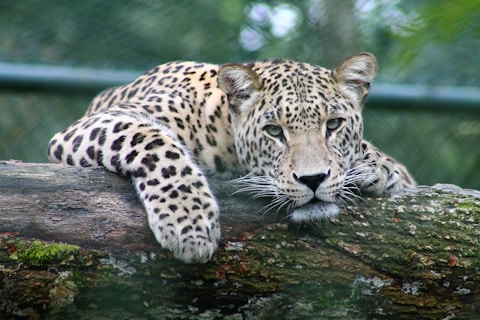
- Photo · required; a grey block when there is no photo
- Sex tag · required: M, F or U
- CITES tag · when the species is CITES listed
- Expand icon · required; opens the photo full size
- Identifier · optional: ear tag, name or chip
- Animal ID · required
- Common name · required
- Scientific name · required, italic
- Enclosure · optional
Variants
| Variant | Purpose | Figma |
|---|---|---|
| Male | Sex tag in Turquoise | Designed |
| Female | Sex tag in Coral | Designed |
| Unknown | Sex tag in Red | Designed |
| With CITES tag | Appendix shown as "C" and its number | Designed |
| No identifier | The animal has no ear tag, name or chip | Designed |
States
| State | When | What changes | Figma |
|---|---|---|---|
| Default | The animal is shown | As drawn | Designed |
Behaviour
- Tapping the expand icon opens the photo full size; tapping elsewhere opens the animal or picks it, depending on the screen.
- Every line is one line; long text ends in an ellipsis and the card keeps its height.
- The card stretches to the width it is given: a list column on tablet, the full form width in a form.
- The same card is used for every animal everywhere, so people learn one shape.
- Lists of animals use this full card with its 104 photo, one card per animal. There is no smaller animal row.
Phone and tablet
| Phone | Tablet | |
|---|---|---|
| Width | Full width less 16 each side | 303 in a list panel, 786 in a form |
| Photo | 104 × 104 | 104 × 104 |
Content
| Part | Rule |
|---|---|
| Identifier | "Ear tag", "Name" or "Chip" then the value; whichever the zoo uses first |
| Animal ID | The ID as the system gives it |
| Common name | As in the species list, sentence case |
| Scientific name | Genus and species, italic, never shortened |
| Enclosure | The current enclosure name |
Do and don't
MAnimal IDCommon nameScientific name
DoUse the same animal card for every animal.
CN
Common name
Animal ID
Don'tShow an animal as a person-style row with initials.
FAnimal IDCommon name that is long…Scientific name
DoEnd long lines in an ellipsis.
FAnimal IDCommon name that is long and wraps onto a second lineScientific name
Don'tLet a line wrap and push the card taller.
Related
Specs
Click a value to copy it.
| Part | Property | Phone | Tablet |
|---|---|---|---|
| Card | Fill | ||
| Corners | |||
| Padding | |||
| Gap | |||
| Photo | Size | ||
| Corners | |||
| Sex tag | Size | ||
| Corners | |||
| Type | |||
| Male | |||
| Female | |||
| Unknown | |||
| CITES tag | Height | ||
| Fill | |||
| Corners | |||
| Type | |||
| Expand icon | Size | ||
| Lines | Gap | ||
| Identifier | Type | ||
| Colour | |||
| Animal ID, common name, enclosure | Type | ||
| Colour | |||
| Scientific name | Type | ||
| Colour |
Accessibility
- The photo has a text alternative: common name and animal ID.
- Sex is written as a letter on the tag, never shown by colour alone.
- Lines on Pale green score 8.0 (Identifier), 7.3 (Ink lines) and 3.4 (Scientific name) for readability. The scientific name is never the only way to identify the animal.
- The expand icon has its own label, "View photo", and a touch area of at least 44 around it.
Changes
| Date | Change |
|---|---|
| 26 Oct 2026 | Lists of animals use the full card; no smaller row. |
| 26 Oct 2026 | Added from the Training "Animal card for selection". |